

Advertisement
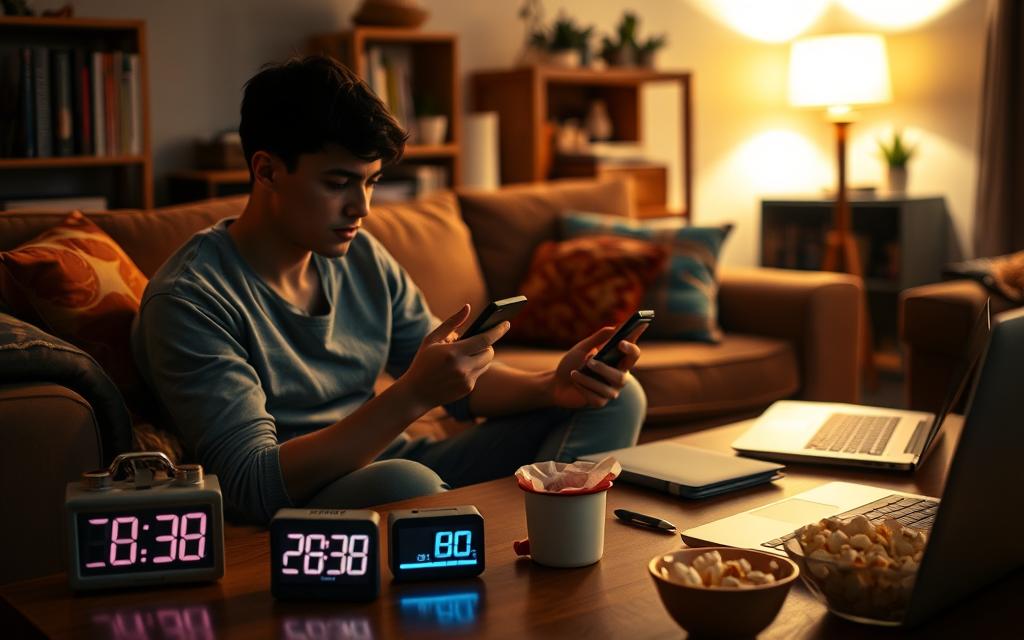
Surprising as it sounds, many adults find that quick phone checks total nearly two hours of screen time daily. This small habit—tapping a notification or glancing at a message—can stretch into 20–60 minutes. It can quietly hurt productivity, disrupt sleep, and take moments meant for family.
Why does a harmless quick check turn into a time sink? Apps like Facebook (Meta), TikTok, YouTube, and Instagram use push notifications, infinite scroll, and personalized feeds to grab your attention. These features lie at the heart of modern screen addiction and make ending quick checks hard.
Data from groups like the American Academy of Pediatrics, the Centers for Disease Control and Prevention, and Pew Research Center show that adults and teens in the U.S. spend many hours daily on digital devices. Those frequent quick checks add up and increase daily totals. This makes managing screen time harder for families and individuals.
This article defines screen time clearly and outlines health and social effects of too much use. It explores why bingeing happens by mistake and offers practical, evidence-based strategies. You will find guidance on apps, routines, and family methods that help regain control without losing digital device benefits.
Made for U.S. adults and parents, the tone is friendly and practical. If you worry about how quick checks shape your day, the next parts will help you see the trap and develop better screen time habits.
Understanding Screen Time: What It Really Means
The phrase “screen time” covers more than scrolling through social feeds. It includes active tasks like video calls, work apps, and online classes. Passive activities such as streaming shows or endless feeds are part of it, too. Ambient exposure means a TV left on in the background.
Clear definitions help with honest screen time management. They also make it easier to follow practical screen time guidelines.
Most smartphones and tablets offer built-in meters. Apple Screen Time works on iPhone and iPad. Android Digital Wellbeing tracks use on Pixel and Samsung phones.
Third-party trackers add detail, but gaps remain. Smart TVs, consoles, and overlapping sessions can cause undercounts or double-counted minutes. Knowing measurement limits matters. It helps you review your habits and set realistic goals.
The next points break down how to think about use and purpose. This makes it easier to decide what to keep and what to cut.
The Basics of Screen Time
Measure by app, device, and session length to get a full picture.
Active uses are intentional and task-driven. Passive uses focus on consumption and often require less mental effort. Ambient exposure affects sleep and attention even when you are not fully engaged.
Use simple logs or built-in reports to spot patterns before making changes.
Official screen time guidelines help parents and adults. The American Academy of Pediatrics suggests limited screen time for toddlers. They recommend guided and educational content for preschoolers and balanced routines for adolescents.
For adults, public-health recommendations favor moderation. They also suggest keeping bedrooms screen-free to protect sleep.
Screen Time vs. Productive Time
Not all minutes are equal. Classify sessions by intent, outcome, and cognitive load.
A 30-minute research session that advances work or learning is productive. Thirty minutes of infinite scroll is rarely productive, even if it feels relaxing. Label sessions as “work,” “learning,” “social,” or “entertainment” to make priorities visible.
Age matters when judging value. For families, screen time for kids should focus on supervised learning. Limits should match developmental needs.
For adults, align usage with goals like sleep, family time, and deep work. Tracking tools can reveal gaps between intention and action. This helps improve screen time management.
| Category | Example Use | Measure | Priority |
|---|---|---|---|
| Active work | Video calls, document editing | App session length, tasks completed | High |
| Educational | Online courses, homework apps | Time spent, progress metrics | High for kids |
| Passive entertainment | Streaming TV, social media scrolling | Continuous play time, autoplay counts | Moderate |
| Ambient exposure | TV on during chores, background music | Room-level presence, device on/off | Low |
| Gaming on consoles | PlayStation, Xbox sessions | Console logs, companion apps | Varies by purpose |
The Impact of Excessive Screen Time on Health
Short checks on a phone can add up. The effects of screen time appear in the body, mind, and mood. Knowing what to watch helps you take small steps that add up.
Physical Effects: Eye Strain and Posture
Staring at digital devices for long periods causes eye strain and fatigue. Symptoms include dry eyes, blurred vision, and headaches. Try the 20-20-20 rule: every 20 minutes look at an object 20 feet away for 20 seconds.
Poor posture from phones and laptops leads to neck and shoulder pain, often called tech neck. Use an ergonomic chair and raise screens to eye level. Consider external keyboards when possible.
Reduce screen brightness at night and be mindful of blue light exposure. This helps protect sleep quality.
Mental Effects: Attention and Focus
Frequent switching between apps breaks attention and raises task-switching costs. Studies link constant notifications to reduced ability for deep work. When shallow browsing replaces focus, learning and productivity drop.
Compulsive use patterns can resemble screen addiction. Signs include loss of control, strong cravings to check devices, and harms to daily functioning. If device use interferes with work or relationships, consider limits or professional advice.
Emotional Well-Being: Social Media Influence
Social comparison on platforms may lower self-esteem and increase feelings of envy and loneliness. Anxiety and FOMO from constant updates raise stress and distract from present moments. Effects vary by platform and personal vulnerability.
Adolescents, young adults, shift workers, and busy parents may face higher risks from excess screen time. Practical steps include routine eye exams, ergonomic changes, and limiting device use before bed. Seek help when screen use harms daily life.
| Health Area | Common Signs | Quick Fixes |
|---|---|---|
| Eyes and Sleep | Dry eyes, headaches, late sleep onset | 20-20-20 rule, lower brightness, avoid screens 1 hour before bed |
| Musculoskeletal | Neck pain, rounded shoulders, wrist strain | Ergonomic chair, raise screen, external keyboard |
| Attention | Frequent distraction, poor focus, less deep work | Turn off nonessential notifications, block sites during work blocks |
| Emotional | Anxiety, loneliness, FOMO | Limit social app time, schedule phone-free social moments |
| Dependency | Compulsive checking, interference with life | Set clear limits, seek counseling if needed |
Causes of Unintended Screen Time Bingeing
Brief checks on a phone or tablet can stretch into long sessions for many reasons. Small cues in our day push us to unlock devices. Design choices from platforms and device accessibility multiply those cues.
The result can feel automatic, even when we meant to look for one quick item.
Accessibility of Devices
Smartphones, tablets, smart TVs, and wearables are everywhere. Pew Research reports that smartphone ownership in the U.S. tops 85 percent for adults.
That ubiquity makes devices easy to reach during short waits or transitions. Notifications and fast app access lower the bar to start a session.
A single ping can turn a two-minute check into half an hour. This constant availability feeds patterns that can lead to screen addiction.
The Role of Habitual Behavior
Habit loops explain much of impulsive checking. A cue like boredom or a notification triggers unlocking a device.
The reward, such as novelty or social response, reinforces the cycle. Neuroscience shows dopamine reinforces unpredictable rewards.
Likes, new posts, and messages arrive at variable intervals. That unpredictability makes habitual screen time persistent and hard to break.
Daily micro-moments—waiting in line, task transitions, or awkward pauses—become triggers. Over time, these tiny checks add up into long, unintended sessions.
Compelling Content: Why We Keep Watching
Platforms use autoplay, infinite scroll, and tailored recommendations to keep attention. Algorithms on YouTube, TikTok, and Netflix learn preferences and push more of what works.
Variable-ratio rewards, like comments and new clips, make content sticky. Ad-driven business models reward longer sessions with higher revenue.
Product design focuses on engagement. Environmental and social drivers add pressure.
Work cultures that expect constant availability and the rise of remote work blur home and office boundaries. Social expectations nudge people to stay connected, increasing incidental screen use.
Below is a concise comparison of key drivers that turn quick checks into extended sessions. The table shows triggers, mechanisms, and common platform examples to help identify where small habits become bingeing.
| Driver | How It Works | Common Examples |
|---|---|---|
| Device Ubiquity | Constant access creates more opportunities for brief checks that expand | Smartphones, tablets, wearables, smart TVs |
| Instant Notifications | Alerts act as cues that trigger unlocking and app use | Push notifications from Instagram, Gmail, Slack |
| Habit Loops | Cue → routine → reward cycle reinforces checking behavior | Notification leads to scrolling, then novelty or social feedback |
| Dopamine Reinforcement | Unpredictable rewards increase repetition and craving | Likes, comments, new content drops |
| Compelling Content | Autoplay and personalized feeds extend sessions | YouTube autoplay, TikTok For You feed, Netflix recommendations |
| Work and Social Pressure | Expectations to be reachable raise baseline screen use | Emails, instant messaging, remote meeting platforms |
Strategies to Control Screen Time
Creating a practical plan makes managing screen time feel more doable. Small changes add up quickly. Below are focused tactics you can try this week.
Setting limits with apps
Use built-in tools like Apple Screen Time and Android Digital Wellbeing. Set app limits, downtime, and content filters with these tools.
Third-party options like RescueTime, Freedom, StayFocusd, and Moment help track use. They also block distracting sites across devices.
Turn off nonessential push notifications. Group alerts into a few check-in windows. Automate restraint with Do Not Disturb schedules and app timers.
This adds friction against impulsive checking.
Designating phone-free times
Choose clear windows for phone-free times such as morning routines and family meals. Also include focused work blocks and the last hour before bed.
Create physical separation by charging phones outside bedrooms or leaving them in another room during those times. Set household rules like no phones at dinner.
Share response expectations so everyone understands the plan.
Finding alternative activities
Replace default checking with short, structured activities. Read a chapter, take a 10-minute walk, do breathing exercises, or tackle a quick chore.
Pick hobbies that nourish you: music, exercise, cooking, or creative projects. For micro-breaks, try guided stretches, eye exercises, or a non-screen puzzle.
These help reset attention without a device.
- Start small: set measurable targets and celebrate tiny wins to build momentum.
- Use environmental design: out of sight, out of mind helps keep devices from hijacking your day.
- Implement “if-then” plans: if you reach for your phone, then do a five-minute walk instead.
- Invite an accountability partner to keep changes on track and honest.
Follow sensible screen time guidelines and adjust as you learn what works. Consistent effort shifts habits toward healthier patterns.
This creates room for rewarding alternative activities that replace endless scrolling.
The Importance of Digital Detoxes
Short breaks from screens offer more than a pause from notifications. A planned digital detox resets habits and creates space for clearer thinking. It also helps improve sleep and strengthens in-person connections. Treat it as a way to manage screen time in busy lives.
Benefits of Disconnecting
Mental rest is a key benefit of disconnecting. People often feel less anxiety and mental fatigue after time away from devices. Behavioral health experts recommend regular breaks to support mood and focus.
Turning off screens before bed often improves sleep. Device-free routines in the evening help you fall asleep easier. Better sleep can increase energy and productivity during the day.
Being offline helps deepen connections with family and friends. Conversations feel richer without constant distractions. Spending time outdoors or on creative activities becomes more fulfilling.
Longer periods of deep focus improve work quality and spark better creative thinking.
Planning a Tech-Free Weekend
Planning is key for a tech-free weekend. Inform important contacts, set up auto-replies, and complete tasks beforehand. Find hobbies or activities to prevent boredom and reduce device temptation.
Steps like turning off notifications, removing social apps from home screens, or using blocking apps help keep focus. Keep one phone on for emergencies or use airplane mode with exceptions.
Fill your time with walks, board games, reading, exercise, local events, hobbies, volunteering, or family outings. If new to this, start with a half-day or an evening before a full weekend.
After the break, reflect on what felt different by journaling. Use these insights to add weekly tech-free evenings or short daily device breaks to your routine.
How Screen Time Affects Family Dynamics
Balancing devices and together time shapes daily family life. Parents struggle with the need for screens and staying present with children. Clear habits make parenting in a digital age less stressful and more intentional.
Parenting in a Digital Age
The American Academy of Pediatrics offers age-based guidance on screen time for kids. They support co-viewing educational content. Use tools like Apple Family Sharing and Google Family Link to manage access without strict bans.
Model calm device use because children mirror parental habits. They react to inconsistent rules. This helps shape healthy screen habits early on.
Encouraging Family Activities
Create simple, repeatable rituals to replace passive shared screen time. Try family meals with phones in a basket or evening walks. Board-game nights also help strengthen family bonds.
When you use screens together, pick quality content. Talk about it afterward to boost learning and connection.
Open Discussions About Screen Use
Set expectations with kids’ input. Explain why limits exist and invite suggestions so rules feel fair. Teach digital literacy about privacy, online safety, empathy, and how to judge content reliability.
Address conflicts with consistent enforcement and clear consequences. This teaches responsibility and respect for family rules.
| Challenge | Practical Tool | Family Action |
|---|---|---|
| Homework requires devices | Coordinate with teachers and set study-only profiles | Block recreational apps during homework hours |
| Different ages, different needs | Use parental controls on consoles and streaming services | Create age-appropriate screen schedules and co-viewing times |
| Work-from-home demands | Designated quiet zones and focused hours | Schedule shared activities around adult work blocks |
| Limited device access in some homes | Share devices and prioritize educational use | Rotate screen time for kids and plan non-digital alternatives |
Tips for Productive Screen Time
Smart screen use starts with intention. Small habits change how you work with digital devices. These habits shape daily focus.
Below are practical methods for productive screen time. These fit busy routines and family life well.
Harnessing technological tools
Pick apps that match the task. Use Google Calendar or Outlook for blocking time. Use Todoist or Trello for task lists.
Track time with Toggl or RescueTime. Distraction blockers like Freedom or Cold Turkey keep social feeds away. This helps when deep work matters.
Turn on Focus modes and Do Not Disturb on phones and laptops. Set app timers to limit social browsing. Curate content with Pocket or Instapaper. Subscribe to topic-specific newsletters and podcasts to keep learning intentional.
Setting goals for each session
Start each session by naming one clear objective. For example, draft 500 words or finish a report section. Or reply to five priority emails.
Timebox tasks using the Pomodoro rhythm—25 minutes on, 5 minutes off. Choose longer blocks when tasks need sustained attention.
Close unrelated tabs. Use separate browser profiles for work and personal use. This reduces switching and speeds progress.
Finish with a quick review. Note what worked and adjust durations. Set the next session’s aim. Small reviews improve future sessions and strengthen screen time management.
- Writers: 2 sessions of 45 minutes drafting, 15-minute break, goal: 800 words.
- Students: 25-minute study blocks with focused notes, goal: one chapter summary per block.
- Parents: 40-minute task windows between childcare routines, goal: clear three quick tasks.
- Remote workers: 90-minute deep work in morning, goal: complete priority deliverable.
Balance matters. Schedule screen-free breaks for stretching, hydrating, and resting your eyes.
Use accessibility features like larger fonts and dark mode. These reduce strain and keep productivity high.
The Future of Screen Time
The way we use digital devices will shift in the next few years. Short-form video on platforms like TikTok and YouTube Shorts keeps attention high. Cross-device ecosystems from Apple to Samsung will make experiences seamless across phones, TVs, and wearables.
These changes shape trends in digital consumption. They also affect how long people stay online.
Trends in Digital Consumption
Short clips and algorithmic feeds aim to keep users engaged. They can shorten attention spans. This pushes people to open apps more often.
Monetization strategies reward time spent on platforms. This influences how platform designs work. Policy debates grow about protecting children and limiting addictive features.
Cross-device syncing means notifications follow users from iPhone to smart TV to Apple Watch. That can raise total screen exposure.
Educators and public-health officials adapt curricula and guidelines for blended digital learning. Users who track screen time can prepare by setting clear boundaries on devices.
The Role of Artificial Intelligence
AI-powered recommendation engines get better at serving personal content. That makes platforms more useful but can also increase time spent on them.
AI can detect unhealthy usage and suggest interventions like adaptive limits or mood-aware breaks.
Ethical questions about explainability and design responsibility are growing. Companies like Google and Meta face pressure to reveal how recommendations work and offer healthier defaults.
Platform-level nudges, default limits, and well-being metrics in operating systems may become standard. To prepare, check device settings for new AI-driven focus modes and keep apps updated.
Supporting policies favoring user well-being helps. Staying informed lets people shape a balanced future for screen time with convenience and health.
Conclusion: Finding Balance in a Screen-Dominated World
Quick checks can easily become long sessions because devices are always within reach. Apps are designed to keep attention. This affects physical health, like eye strain and bad posture. It also harms mental health with less focus and more anxiety. Recognizing these patterns is the first step toward balanced screen time.
Reflecting on Your Screen Time Habits
Start by auditing when and why you use devices. Use built-in reports or apps like Screen Time and Digital Wellbeing. These show which apps you use the most. Try this exercise: list the top three apps, note triggers, and pick one small rule to test for a week.
Making Conscious Choices for a Healthier Life
Choose two practical strategies—reduce notifications and have a tech-free evening, or use the Pomodoro Technique and the 20-20-20 rule. Track your results with RescueTime or Freedom. Be kind to yourself: gradual change fits work and family life best. For advice on child screen use and sleep, see AAP, CDC, and NIH resources. You can also check a short digital detox guide.
Balancing screens doesn’t mean cutting them out. It means choosing so quick checks stay quick, relationships stay strong, and life matches your values. Small, steady steps can improve how you handle screen time.