

Advertisement
Americans check their phones an average of 144 times per day. This shows how deep our smartphone dependency has become.
This article explores how our phones change our daily habits. It looks at mornings, commutes, work hours, meals, social moments, and bedtime. You’ll see how phone use affects our attention, conversations, and energy.
It also talks about how too much phone use can harm our mental health, sleep, and productivity. We use data from the Pew Research Center, the American Psychological Association, and the National Sleep Foundation to explain why we become dependent and how to spot the signs.
Our aim is to help you understand why you might be too reliant on your phone. We want to show you how to recognize the signs and take steps to use your phone less in your daily life.
Understanding Smartphone Dependency
Many people use phones for work, social life, and fun. For some, this turns into smartphone dependency. It happens when a device becomes the main way to manage feelings, get approval, and finish tasks. Knowing the difference is key for staying healthy and functioning well.
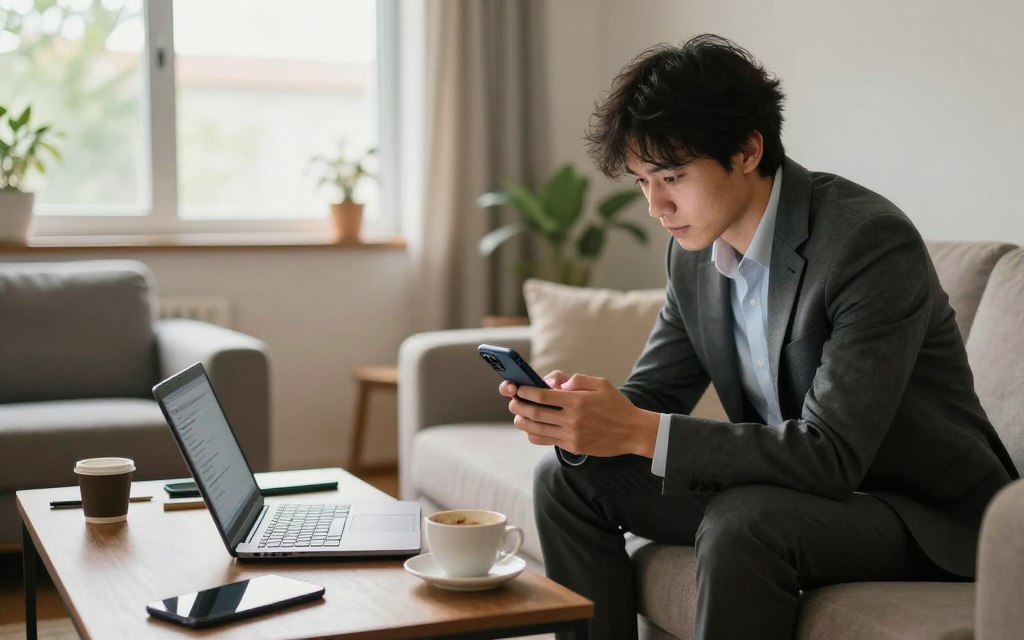
Definition of Smartphone Dependency
Health groups like the World Health Organization see it as a pattern that hinders daily life. It’s when users can’t control their time, keep using despite harm, and feel uneasy without their phone.
Experts call this digital addiction or problematic smartphone use. Signs include using phones to feel better, needing constant social feedback, and using devices to deal with stress or boredom.
Common Signs of Dependency
Phone addiction signs can be seen and felt. Objective signs include spending too much time on screens and checking devices often. Subjective signs include feeling anxious without a phone, ignoring tasks, and less face-to-face time.
Young adults often show signs linked to social media. Professionals might see a drop in productivity due to phone use. Tools like iOS Screen Time and Android Digital Wellbeing can track screen time and app use.
- Compulsive checking during conversations or meetings
- Multiple hours of nonessential screen time daily
- Anxiety or irritability when separated from the phone
- Using the phone as the main coping tool for stress
- Sleep disruption tied to late-night usage
Ask yourself simple questions to spot issues. Do you miss deadlines because of phone use? Do you feel uneasy without your device? Your answers can show if it’s a problem or not.
The Rise of Smartphone Usage
Smartphones have become essential over the last decade. They have changed how we live, work, and play. The rise in phone use and app development has made us think about our phone habits.
Statistics on Smartphone Ownership in the U.S.
Pew Research Center says about 85–90% of U.S. adults now have a smartphone. Young people use phones even more. Statista and data.ai show that smart phones are replacing old phones for everyone.
Smartphone use in the U.S. grew fast after 2010. This was because phones got cheaper and data plans got better. More people, even those with less money, started using smartphones.
Trends in Daily Usage
Reports from Nielsen and data.ai say U.S. adults spend hours on their phones every day. Young people use their phones the most, sometimes for 4–5 hours. This shows how much time we spend looking at screens.
People use their phones for different things:
- Social media and messaging are big.
- Watching videos and short clips on YouTube and TikTok is growing fast.
- Browsing and playing games are steady, with apps for work and navigation also popular.
Phone use follows a pattern. People check their phones as soon as they wake up. They use them more during breaks and before bed. Studies show we unlock our phones many times a day and get lots of notifications.
Things like cheaper data plans and more apps from Apple and Google have helped phones become more popular. The shift to working from home and the push notification system also play a big role. These factors have made us spend more time on our phones and have raised concerns about phone addiction.
| Metric | Typical U.S. Adult | Younger Cohorts (18–29) | Source |
|---|---|---|---|
| Smartphone ownership | 85–90% | 95%+ | Pew Research Center |
| Average daily screen time | 2–3 hours | 4–5+ hours | data.ai, Nielsen |
| Daily unlocks | 40–100 | 60–150 | Academic and industry studies |
| Top activities by share | Messaging, social media, video | Short-form video, social, messaging | Statista, data.ai |
Impact on Communication
Smartphones have changed how we talk, meet, and share time. We now spend more time looking at screens than at each other. This change affects our family time, dates, and work meetings in small but significant ways.
Changes in Personal Relationships
Constantly checking our phones can make us less present in conversations. Studies show that phone use during meals and dates can harm relationships. Many people feel ignored when someone is too busy with their phone.
Parents who are distracted by their phones might miss important moments with their kids. Kids then learn to spend more time on screens too. Bedtime, meals, and playtime are all affected by our constant need to be connected.
In the workplace, relying on messages instead of face-to-face talks can lead to misunderstandings. Tools like iMessage and WhatsApp can make it hard to understand tone and body language. Meetings are often replaced by messages, which can make teamwork less effective.
The Role of Social Media
Social media can create a cycle of seeking validation through likes and comments. Sites like Facebook, Instagram, TikTok, and X make us want to check our phones constantly. This can lead to addiction and distract us from the people around us.
Yet, social media also helps us stay in touch with friends, plan events, and find support groups. The Pew Research Center found that many adults use social media to communicate, with younger people leading the way. Spending a lot of time on social media can make it hard to focus on one thing at a time.
Notifications from apps and social media can interrupt our conversations. A message or a like can cut short a meaningful talk. This constant distraction can make it harder to build trust and closeness with others.
| Area | Common Example | Typical Impact |
|---|---|---|
| Meals & Dates | Checking notifications between courses | Lower satisfaction; less eye contact |
| Parenting | Responding to work email while supervising | Missed cues; children emulate screen habits |
| Workplace | Replacing meetings with chat threads | Loss of nuance; more miscommunication |
| Social Platforms | Endless feed scrolling on Facebook or TikTok | Reinforced checking; social comparison anxiety |
| Messaging Apps | Rapid replies on iMessage or WhatsApp | Continuous partial attention; abbreviated talk |
Effects on Mental Health
Our daily lives are filled with constant pings and alerts. This can affect our mood and focus. Studies show that too much device use can lead to anxiety and depression in teens and young adults.
Notification anxiety makes us feel stressed and anxious. The fear of missing out and comparing ourselves on social media can make us feel bad about ourselves. Research shows that too much social media can increase anxiety and depression in young people.
It’s important to remember that just because two things happen together, it doesn’t mean one causes the other. Some studies try to figure out if phone use causes anxiety or if people with anxiety use phones more. They found that both are true.
Studies show that turning off notifications or limiting social media can help reduce stress. Even short breaks can improve mood and lower anxiety.
Using our phones while doing other things can also affect our brain. Studies show that switching between tasks can hurt our focus and memory. This can make us slower and more prone to mistakes.
Breaking the habit of constant phone use can help us focus better. By turning off alerts, setting phone-free times, or limiting apps, we can do better at tasks and stay focused longer.
Experts suggest small steps to improve our phone habits. Turn off unnecessary alerts, set times to focus, and track how much time we spend on screens. These simple changes can help us concentrate better and feel less anxious.
Productivity Challenges
Smartphones make it hard to separate work from distractions. Quick checks on messages or social apps can break our focus. Studies show it takes several minutes to get back on track after an interruption.
Distractions in the Workplace
Ringing calls and alerts can interrupt meetings and deep work. Research shows a clear loss in productivity when employees switch tasks. On average, it takes several minutes to refocus after an interruption.
Hidden costs include longer project timelines and weaker idea development. When we’re distracted, creative problem solving drops. Companies that tracked interruptions saw declines in task completion and more revisions.
Time Management Issues
Checking phones habitually can disrupt planning. Calendar conflicts rise when we miss focused time due to apps or messages. Procrastination grows as brief distractions turn into long browsing sessions.
Employees often underestimate time spent on phone activities. This gap leads to scheduling errors and missed deadlines. Companies that audit app usage find daily screen time far exceeds what employees report.
Practical tools and policies can help. Employers use digital wellbeing programs and app usage analytics to spot problem areas. Features like Do Not Disturb and Focus Mode, along with website blockers, limit interruptions.
Simple strategies can help teams regain control:
- Make meetings phone-free to protect focus.
- Check email and messages at set times to avoid constant switching.
- Schedule deep-work blocks on calendars and protect them from conflicts.
- Have clear notification policies that prioritize urgent alerts and mute low-value pings.
The table below compares tools and outcomes companies report after adopting phone-use policies and focus tools. Data reflects common patterns seen across published workplace studies and corporate pilot programs.
| Intervention | Typical Outcome | Measured Benefit |
|---|---|---|
| Do Not Disturb / Focus Mode | Fewer mid-task interruptions | 20–35% faster task completion in pilot studies |
| Batch email/message checks | Reduced context switching | Lower error rates, improved deep-work time |
| Phone-free meetings | Clearer discussion, faster decisions | Shorter meeting times, higher participant engagement |
| App usage analytics / wellbeing programs | Targeted interventions for excessive phone use | Data-driven reductions in screen minutes, improved planning |
| Website blockers (Freedom, StayFocusd) | Limits access to distracting sites | Increased uninterrupted work periods, better time management |
Influence on Sleep Patterns
Using phones in the evening can change how we sleep. The National Sleep Foundation found that blue light and late-night scrolling delay melatonin release. This leads to later bedtimes and poorer sleep quality.
Young people are more affected. Those who spend more time on social media sleep less and feel more tired during the day.
Connection Between Screen Time and Sleep Quality
Smartphones emit blue light that can disrupt our sleep. This light suppresses melatonin and messes with our body’s natural clock. It makes it harder to fall asleep and can cause more nighttime wake-ups.
Phones also keep our minds active. Notifications and messages keep us thinking. This makes it harder to get a good night’s sleep.
Young people are at a higher risk. Heavy social media use and late bedtimes link to poor sleep in teens and college students. This can lead to daytime tiredness and poor focus.
Recommendations for Better Sleep
There are ways to reduce phone’s impact on sleep. Set a phone-free time of 30–60 minutes before bed. Use night mode or blue-light filters, but don’t rely on them alone.
Turn on Do Not Disturb during sleep hours. Keep your phone out of the bedroom or on airplane mode. Replace phone use with reading or relaxation, like deep breathing.
Use sleep-tracking features on your phone or apps to monitor use. These tools help manage screen time and support changing habits away from phone dependency.
Physical Health Consequences
Smartphone habits can harm more than just our focus and mood. Long screen time changes how we move and feel physically. Health experts warn that phone-related behaviors can lead to serious health issues for all ages.
Small changes can make a big difference. Taking breaks, checking your posture, and staying aware of your surroundings can reduce harm from too much phone use.
Sedentary Lifestyle Risks
Hours of phone use often mean sitting still. The CDC says this can increase the risk of heart disease, obesity, and Type 2 diabetes.
Staying seated with bad posture hurts muscles and joints. Lower back and hip pain grows with less activity. Health advice is to move often to lower these risks.
Try simple steps: stand up every 30 minutes, walk between tasks, or use a timer to move. These habits fight sedentary risks and boost blood flow.
Eye Strain and Other Health Issues
Looking at screens too long causes eye strain. Symptoms include dry eyes, blurry vision, and headaches. The American Academy of Ophthalmology suggests the 20-20-20 rule: every 20 minutes, look 20 feet away for 20 seconds.
Neck and shoulder pain can come from leaning over screens. Text neck from bending the head forward is a problem. Repetitive thumb and wrist motions can cause strain injuries over time.
Using a phone stand and holding devices with neutral wrists reduces strain. Frequent breaks and simple neck exercises help relieve tension.
Distracted walking and driving are big dangers. Data from the National Highway Traffic Safety Administration shows crashes and pedestrian accidents tied to phone distraction. Laws and safety campaigns urge drivers and walkers to disable phone use while traveling.
| Risk | Common Symptoms | Practical Preventive Steps |
|---|---|---|
| Sedentary-related illness | Weight gain, low energy, higher blood pressure | Move every 30 minutes, 150 minutes of activity weekly, stand-up desks |
| Digital eye strain | Dry eyes, blurry vision, headaches | 20-20-20 rule, adjust screen brightness, anti‑glare filters |
| Text neck and RSI | Neck pain, shoulder tension, thumb soreness | Raise phone to eye level, use voice input, ergonomic supports |
| Accidents from distraction | Trips, falls, vehicle collisions | Disable notifications while driving, use hands-free systems, stay alert when walking |
The Role of Apps in Daily Life
Apps play a big part in our daily routines. They help us work, relax, and stay safe. Choosing the right apps can reduce our phone addiction and help us manage our screen time. Here’s how to tell which apps are helpful and which ones waste our time.
Essential Apps vs. Time-Wasting Apps
Essential apps are useful for work, safety, or daily tasks. Think of Google Calendar, Microsoft Outlook, and banking apps. Google Maps and health trackers like Apple Health are also essential.
Messaging and meeting tools like WhatsApp, Slack, and Zoom are useful for work or business. They help us stay connected and organized.
Time-wasting apps, on the other hand, keep us scrolling. Social media, games, and streaming apps can be fun but offer little value. TikTok, Instagram, and many games can distract us from important tasks.
To decide if an app is useful, ask three questions: Is it useful? Do I need it for work or safety? Does it offer long-term value? If not, it might be a time-waster. Limit your use of such apps.
How to Monitor App Usage
Start with built-in tools. iOS Screen Time and Android Digital Wellbeing show how much time you spend on apps. They let you set limits and schedule downtime.
Third-party apps give more details. RescueTime, Moment, and StayFree track productive time and offer blocking features. Always check their privacy policies to protect your data.
Here are some tips for effective monitoring:
- Set daily limits for apps that waste time.
- Schedule app-free periods during work or before bed.
- Use grayscale to make social feeds less appealing.
- Turn off nonessential notifications to reduce distractions.
- Remove unused apps every month.
Choose reputable monitoring tools with clear privacy policies. This way, you can reduce phone addiction while keeping your data safe.
| App Category | Examples | Typical Use | Action Tip |
|---|---|---|---|
| Productivity & Utility | Google Calendar, Microsoft Outlook, Bank apps | Scheduling, finance, work tasks | Keep enabled; set focused notification rules |
| Communication | WhatsApp, Slack, Zoom | Team coordination, calls, messaging | Use Do Not Disturb during deep work |
| Entertainment / Social | TikTok, Instagram, YouTube, casual games | Leisure, news, social updates | Set strict daily limits; schedule app-free windows |
| Wellness & Tracking | Apple Health, Fitbit, meditation apps | Health metrics, sleep tracking, meditation | Use for goals; review data weekly |
| Monitoring Tools | iOS Screen Time, Android Digital Wellbeing, RescueTime | Analyze usage, block distracting apps | Compare reports and adjust rules monthly |
Strategies to Manage Dependency
Changing our smartphone habits starts with clear rules, useful tools, and small steps. Here are strategies for setting limits at home and work. Also, there are plans for digital detox and behavior changes to prevent phone addiction and manage screen time.
Setting Boundaries on Use
Make some areas phone-free, like the bedroom and dining table. Start your day without your phone and keep it away during meals. Stop using it after 9 p.m. to improve sleep and focus.
Turn off alerts you don’t need and mute distracting groups. Use features like Focus modes and app limits to reduce temptation. Start with realistic screen time goals and gradually lower them.
Create a device agreement with your family and follow the rules. This sets a good example for kids. At work, have meetings without phones and set policies for not checking emails outside work hours.
Mindfulness and Digital Detox Techniques
Try short detoxes, like a 24–72 hour break, to reset your habits. Use partial detox plans, like a social-media-free weekend or one phone-free day a week. These steps help you gradually change your habits.
Focus on one task at a time and think about why you’re checking your phone. Keep a journal of what makes you check your phone and how you feel. Use simple breathing exercises to resist the urge to check your phone.
Find new habits to replace old ones. Carry a book instead of your phone, or put the charger in another room at night. Start by reducing your screen time by small amounts each week.
- Behavioral supports: Forest and Freedom help block distractions and reward focus.
- Community: Join challenges or groups that encourage a digital detox with peers.
- Reading: Explore books on digital minimalism for long-term mindset shifts.
If your phone use is affecting your work, school, or relationships, get help. Therapists who use cognitive-behavioral therapy can help with phone addiction. The American Psychological Association offers resources to find specialists and support for managing screen time.
The Future of Smartphone Dependency
Smartphones will continue to shape our lives, but in new ways. AI and personalized recommendations will make some activities more engaging. At the same time, Apple and Google are working on tools to help us use our phones less.
Wearable tech and augmented reality will also change how we use our phones. They will move many tasks off our devices, altering our mobile habits.
Emerging Trends in Technology
App makers will focus on quick, attention-grabbing content. Companies and regulators are also exploring ways to make design more transparent. This includes new Screen Time features and programs to promote balanced phone use.
Predictions for User Behavior
People’s behavior will likely split into two groups. Some will use built-in tools to limit their screen time, embracing digital minimalism. Others will rely more on their phones for payments, identity checks, and health monitoring.
Younger users might adapt to new phone habits faster. But older adults will take longer to adjust, yet they will still change their ways.
Policy and public health responses will follow. Expect more research, campaigns on digital literacy, and proposals to address addictive design. Stay updated through academic journals, tech company news, and policy briefings. Use tools to manage your screen time and help create healthier phone use habits.