
Advertisement
Did you know the average American spends about 40 minutes a day on routine chores? These tasks could be automated. That’s nearly a month a year you could get back with simple automation.
Everyday automation uses easy systems and tools for repetitive tasks. Think smart plugs for lights, email filters, automatic bill pay, and scheduling apps. These tools save time and effort.
You’ll learn how to set up these tools easily. Start with one task and add more as you see the benefits.
The benefits are clear: less time on chores, fewer mistakes, and more time for important things. In the sections ahead, you’ll learn about definitions, benefits, and how to spot tasks to automate. You’ll also get guides on email and smart home tools, finance and social media automation, time management, and staying consistent. Plus, we’ll look at future trends like AI and machine learning.
What is Everyday Automation?
Everyday automation makes your life easier by automating simple tasks. It uses rules, timers, or smart devices to simplify your day. This way, you can focus on what’s important, not on mundane chores.
Understanding the Concept
Think of everyday automation as small scripts running in the background. It includes things like automatic bill payments and workflows between apps. It also includes smart thermostat schedules and email filters.
Basic automations use simple timers and rules. More complex ones use integrations or AI. Voice assistants like Alexa, Google Assistant, and Siri make controlling these actions easy with just your voice.
Benefits of Automating Daily Tasks
Automating daily tasks saves you time. You no longer have to send reminders or sort emails manually. It also means you don’t have to post the same updates over and over.
Automated systems make things more consistent and accurate. They help avoid missed payments and forgotten appointments. They also reduce errors in repetitive tasks.
Using automation tools reduces mental stress. It means you don’t have to make as many decisions. This helps you focus on more important tasks.
Convenience technology can also save you money and energy. Smart lighting and thermostat schedules can lower your utility bills.
| Area | Common Automation | Benefit |
|---|---|---|
| Finances | Recurring bill pay, automatic transfers | Fewer late fees, steady saving habits |
| Home | Thermostat schedules, timed lighting | Lower energy bills, comfortable routines |
| Email & Productivity | Filters, auto-replies, Zapier workflows | Less clutter, faster task handling |
| Social Media | Scheduled posts, content queues | Consistent presence, time saved |
| Accessibility | Voice control, app dashboards | Easy setup with no coding needed |
How to Identify Automatable Tasks
Everyday automation begins with knowing your daily tasks. You aim for efficiency solutions that save time and reduce errors. Start by mapping out your routines and identifying repetitive tasks before creating automated systems.
Common tasks for automation
- Email triage: set filters, auto-archive, and canned replies in Gmail or Outlook to reduce inbox noise.
- Home routines: schedule lights and thermostats with Philips Hue, Lutron, Nest, Ecobee, Ring, and smart plugs for predictable comfort.
- Finances: automate bill pay and recurring transfers with Chase or Bank of America, or use apps like Chime and Digit for savings.
- Scheduling: use Calendly or Google Calendar for invitations and recurring reminders to cut admin time.
- Social media: queue posts with Buffer, Hootsuite, or Later; use Zapier for cross-posting.
- Groceries and supplies: set up Amazon Subscribe & Save or Walmart+ for repeat deliveries and automatic restocking.
Assessing your routine
Do a simple task audit for a week. Track your daily activities, their frequency, time spent, and error rates. This will quickly show you which tasks can be automated.
Rate each task by its frequency and time usage. Tasks that happen often and take little time are perfect for automation.
Consider costs and benefits before starting. Even small investments, like smart plugs or premium apps, can save a lot of time.
Think about security and privacy when automating financial or access tasks. Choose trusted brands, use two-factor authentication, and keep backups.
Begin with low-risk tasks like email filters or scheduled payments. Once those work, move on to home integrations or API workflows to increase your efficiency.
Tools for Email Automation
Imagine your inbox as a tool that works for you. With the right tools, you can cut down on noise, save time, and focus on what’s important. Here are some ways to automate your email flow and free up hours each week.
Choose tools that fit your needs. Gmail and Microsoft Outlook have basic features for organizing. For more complex tasks like marketing, third-party apps offer advanced features. Services like Zapier connect email with other apps, making messages into actions.
Popular Email Automation Tools
Gmail has filters, labels, and templates to simplify messages. Outlook offers rules and templates for quick replies. Mailchimp and ConvertKit help with newsletters and marketing. Mixmax and Spark improve outreach and inbox management.
Zapier and Make link email to CRM systems and task apps. Tools like Grammarly and Copilot help draft replies quickly.
Easy Setup Steps
Start with basic rules. Use filters to auto-archive messages and label important ones. This keeps your inbox clean and focused.
Make templates for common replies. This saves time and keeps your responses consistent.
Schedule sends for regular emails. Use Gmail or Outlook’s scheduling feature. Mixmax and HubSpot help with follow-ups.
Link email to task apps. Zapier can turn emails into tasks in Todoist or Trello. This ensures you don’t forget important tasks.
Test your automations first. Check for errors and adjust as needed. This keeps your system working smoothly.
| Tool | Best for | Key Features | How it saves time |
|---|---|---|---|
| Gmail | Everyday inbox management | Filters, Labels, Templates, Smart Compose, Schedule Send | Auto-sorts messages, reduces typing, schedules sends |
| Microsoft Outlook | Enterprise email workflows | Rules, Quick Parts, Focused Inbox, Templates | Automates routing and repeated replies |
| Mailchimp | Email marketing | Campaign builder, Segmentation, Analytics | Automates newsletters and tracking |
| Mixmax | Sales outreach | Sequences, Tracking, Templates | Automates follow-ups and performance insights |
| Spark | Smart inbox for teams | Collaborative inbox, Smart sorting | Reduces noise and improves team response |
| Zapier / Make | Integrations and workflows | Connectors for CRM, Todo apps, Cloud storage | Turns emails into tasks, CRM entries, or saved files |
| Grammarly / Copilot | AI-assisted drafting | Reply suggestions, Summaries | Speeds composition and reduces back-and-forth |
Smart Home Devices for Everyday Use
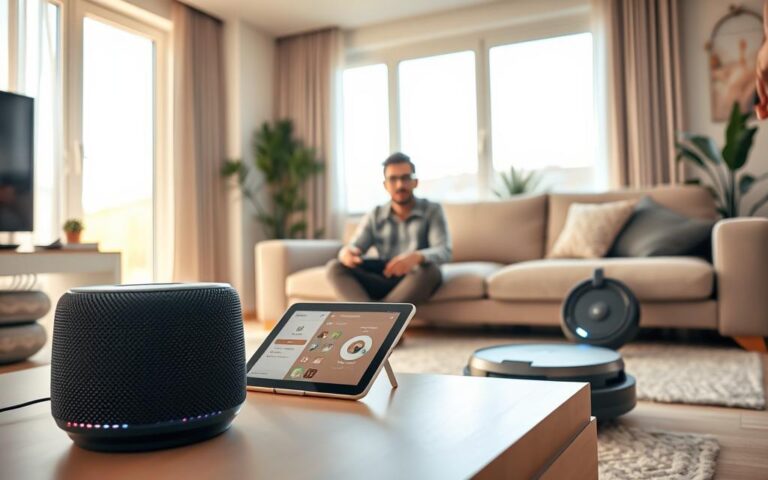
Smart technology makes daily life easier. You can control lights, climate, and security with your phone or voice. This saves time and reduces stress.
Benefits of Smart Devices
Smart devices cut down on your to-do list. Thermostats from Google Nest or Ecobee learn your schedule and save energy. Philips Hue and LIFX let you set scenes for different moods or tasks.
Smart locks like August and Schlage boost safety. Video doorbells from Ring or Google Nest Doorbell alert you in real-time. Systems from SimpliSafe or ADT add extra protection that you can monitor from anywhere.
Automation helps seniors or those with mobility issues. Voice assistants from Amazon Alexa, Google Assistant, or Apple HomeKit control lights, door locks, and entertainment hands-free.
Popular Smart Home Brands
Choose trusted brands for a reliable setup. For thermostats, go with Google Nest or Ecobee. For lighting, try Philips Hue, LIFX, or Sengled.
For voice control, Amazon Echo with Alexa, Google Nest Hub, and Apple HomeKit are top choices. Security gear from Ring, Arlo, and Nest Cam offers solid camera options. Smart locks from August, Schlage, and Yale provide trusted access control. Smart plugs from Wemo, TP-Link Kasa, and Amazon Smart Plug add device-level automation.
Integrating Devices for Efficiency
Choose a main ecosystem like Amazon Alexa, Google Home, or Apple HomeKit for easier setup. Routines and scenes group actions. A “Good Morning” routine can adjust thermostat settings, brighten lights, and play news with one tap or voice prompt.
Use hubs like Samsung SmartThings or platforms like Home Assistant for cross-brand automations. Employ geofencing, motion sensors, and door sensors to trigger actions only when needed. This keeps everyday automation useful and nonintrusive.
Keep security strong with a dedicated guest network for IoT devices and firm Wi-Fi passwords. Update firmware regularly and enable WPA3 where supported to protect your smart technology investments.
Automating Your Finances
Automating your money routine can make your day less stressful. It helps avoid late fees and manual tracking. Plus, it grows your savings without you having to think about it. Start with small steps, set clear goals, and let automated systems do the work.
Budgeting apps to consider
Mint is a great free app for tracking accounts, bill reminders, and spending. YNAB helps you manage every dollar and build good habits. Personal Capital is good for tracking your net worth and investments.
Simplifi by Quicken offers a simple view of your finances and cash flow. Chime and Ally have features like automated savings and round-up savings. Each app helps in different ways, so pick the one that fits your needs.
Expense tracking made simple
Securely link your accounts to budgeting apps. Most use bank-level encryption and only read your transactions. Set up rules for automatic categorization of your purchases.
Make sure to set up autopay for bills and loans. This way, you’ll never miss a payment. Also, schedule automatic transfers to savings or retirement accounts to make saving a habit.
Turn on alerts for unusual spending and use two-factor authentication for extra security. These steps make automating your finances easy and hassle-free.
Social Media Automation Strategies
Social media automation can save you hours each week. Start with a clear plan for content types, posting frequency, and engagement windows. Pair scheduling with active listening to make your posts feel timely and relevant.
Choose automation tools that fit your goals. Use a mix of simple schedulers and richer platforms. This balance helps you maintain consistency and gain insight.
Scheduling Tools You Should Try
- Buffer — simple scheduling, queue management, and analytics for small teams.
- Hootsuite — multi-platform scheduling, team collaboration, and performance reporting for larger accounts.
- Later — visual Instagram scheduling with linkin.bio features and a handy media library.
- Zapier integrations — connect RSS feeds or new blog posts to auto-post across platforms and streamline workflows.
- Sprout Social — advanced analytics plus a social inbox for teams managing engagement at scale.
Engaging with Your Audience
Balance automation with authenticity. Schedule posts to maintain a steady presence. But respond personally to comments and direct messages when needed.
Use auto-replies sparingly and label them clearly when they run. Follow up quickly by hand for complex questions or sensitive issues.
Monitor metrics like engagement rate, reach, and conversions to refine your strategy. Batch your content creation to schedule whole weeks at once. This frees up time for real interactions.
Set up saved searches and listening alerts to capture brand mentions, keywords, or customer service needs. Let automation tools flag items for you. Then, jump in to respond promptly and keep conversations meaningful.
Time Management Tools for Daily Efficiency
Good time habits start with the right tools. You can bring clarity to a busy day with time management tools that fit your workflow. Use apps that sync across devices so your plan stays with you.
Pick solutions that make everyday automation feel natural. Small shifts, like automating recurring tasks, free mental space. These efficiency solutions help you focus on what matters most.
Top Time Management Apps
Google Calendar works well for shared schedules, event invites, and reminders. It links to Gmail and Google Meet so meetings and messages stay connected.
Microsoft Outlook Calendar is a strong choice for workplace use. It integrates with email and Microsoft Teams for smoother planning.
Todoist helps you manage tasks with recurring items and priority flags. It connects to calendars and Zapier to create cross-app workflows.
Trello and Asana use boards and rules to automate simple project steps. They offer Butler and custom rules to cut repetitive clicks.
Clockify and Toggl Track automate time tracking and reporting. You get concrete insights to improve daily rhythms.
Setting Up Your Calendar
Block time for focused work. Schedule deep work sessions and mark them as busy so others don’t double-book you.
Create recurring events for routines like exercise or bill review. Repeating entries build steady habits without manual entries.
Use color-coding and multiple calendars for work, personal, and family events. A glance should show your whole day.
Automate meeting scheduling with tools like Calendly or Microsoft Bookings to avoid back-and-forth emails. Let others pick a slot that already respects your preferences.
Sync tasks and reminders from your to-do app into your calendar. Add short buffers between meetings to handle follow-ups and transitions.
- Tip: Regularly review calendar invites to keep automation accurate.
- Tip: Combine time tracking with calendar blocks for clearer productivity data.
Boosting Productivity with Automation
Automation can change how you do deep work. Small routines and reliable tools create a steady rhythm. These habits boost productivity and make focused sessions feel natural.
The Pomodoro Technique
The Pomodoro Technique breaks work into 25-minute intervals called Pomodoros, followed by 5-minute breaks. After four Pomodoros, take a longer break to recharge. This timing boosts sustained focus and lowers the chance of burnout.
You can automate Pomodoro cycles with dedicated apps or timers. These apps enforce intervals, log completed sessions, and give you a measurable rhythm for deep work. Linking those logs to your calendar or tracker saves time and strengthens routine.
Tools That Help You Focus
Choose apps that match your style. Focus@Will provides music designed for concentration. Forest gamifies focus by growing a virtual tree while your phone stays locked. Be Focused offers customizable Pomodoro timers that track sessions.
Website blockers reduce temptation. Freedom, Cold Turkey, and StayFocusd stop distracting sites during your focus blocks. You can schedule blocking to align with your Pomodoro sessions for smoother flow.
Integrated automation increases efficiency. Use Zapier or native integrations to log Pomodoro sessions into your calendar or productivity app automatically. That reduces manual tracking and leverages time-saving devices in your workflow.
Hardware can matter. Noise-cancelling headphones from Sony or Bose cut ambient noise. Smart lights that shift color or brightness signal work and break times without you having to check a timer.
Lastly, combine focus tools with calendar automation. Block Pomodoro sessions in your calendar and set Do Not Disturb across devices for those blocks. This setup ties everyday automation, tools that help you focus, and time-saving devices into a cohesive system.
Overcoming Challenges in Everyday Automation
Automation can save time and reduce stress. But, it comes with its own set of challenges. You might face technical issues, privacy concerns, and the urge to automate too much. A simple guide can help you navigate these obstacles and keep your systems running smoothly.
Common obstacles and practical fixes
Start with simple tasks to avoid feeling overwhelmed. Begin with basic routines like bill reminders or email filters. Use tools like Gmail filters, calendar recurrences, or Zapier recipes to build your workflows.
Integration problems can occur when devices or apps don’t communicate well. Stick to one ecosystem like Amazon Alexa, Google Home, or Apple HomeKit. Or, use hubs like Samsung SmartThings or Home Assistant to connect different systems.
When you automate financial apps or door locks, security and privacy are key. Enable two-factor authentication, update firmware regularly, and choose trusted brands. Also, keep IoT devices on a guest network to reduce risks.
Automation can sometimes lead to bad habits. Make sure to have manual controls, check automation logs, and perform regular audits. Start with free tools and add more as needed to avoid overspending.
Staying consistent with your automations
Regularly review your automations to keep them working well. Check for broken automations weekly, review privacy and security monthly, and do quarterly audits of subscriptions and device firmware.
Keep a record of your automations, why you set them up, and how to adjust them. Keep this list simple so others can understand and help if needed.
Use automated reminders and habit tracking together. For example, pair a reminder to drink water with a log entry to track your habit.
Monitor your progress to see how automation helps. Track time saved, active automations, and any errors. These metrics will help you improve your setups and stay motivated.
Future of Automation in Daily Life
The future of automation will change how we live, work, and manage our homes. Devices and services will communicate better, making setup easier. Edge computing will make tasks faster and keep your data safe.
Emerging Trends to Watch
Look out for voice and context-aware automations. They will react to your schedule and location. Ambient computing will make your home smarter, like thermostats that learn your habits.
Subscription services will offer bundles of automation and analytics. These packages will make it easy to add new features gradually.
The Role of AI and Machine Learning
AI and machine learning will make automation more personal. Systems from Google, Amazon, and Apple will understand you better. You can start complex routines with just one command.
These tools will predict your needs, like when to buy groceries. But remember, privacy and control are key. Start slow, use manual controls, and choose trusted brands. This way, you’ll enjoy the benefits of automation without losing control.